
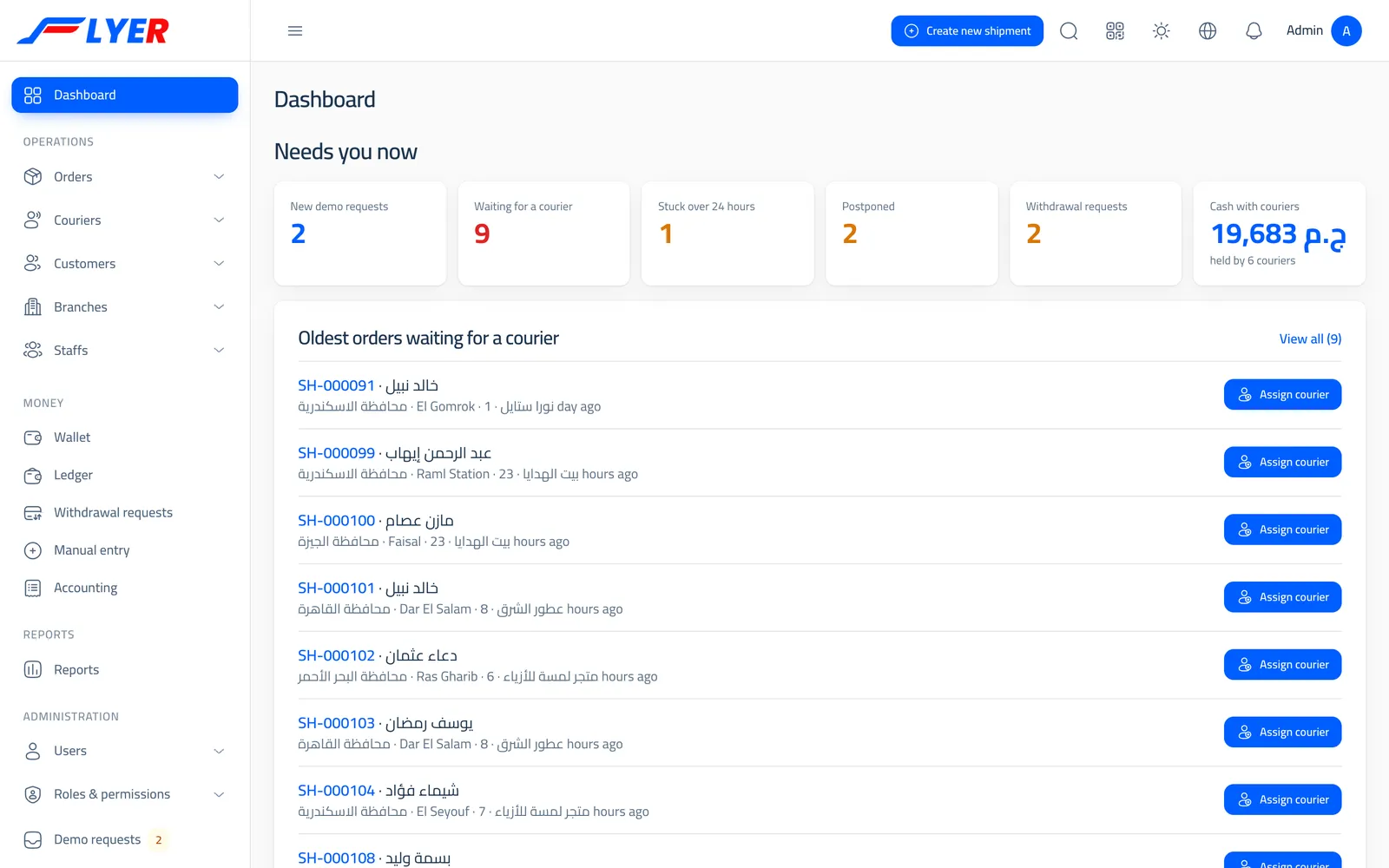
The management dashboard
"Needs your attention now": orders waiting for a courier, stale or postponed ones, withdrawal requests and cash with couriers.
Run your shipping company from one system: your customers' orders and their pricing, courier assignment and proof of delivery, texts to the recipient, collection and commissions, branches, and reports.
Flyer is software a shipping company buys and runs itself. It holds everything an order goes through, from the moment a customer places it to the moment collection is settled: intake, pricing, assignment, delivery, returns, wallets and reports, with a screen for everyone who works at your company.
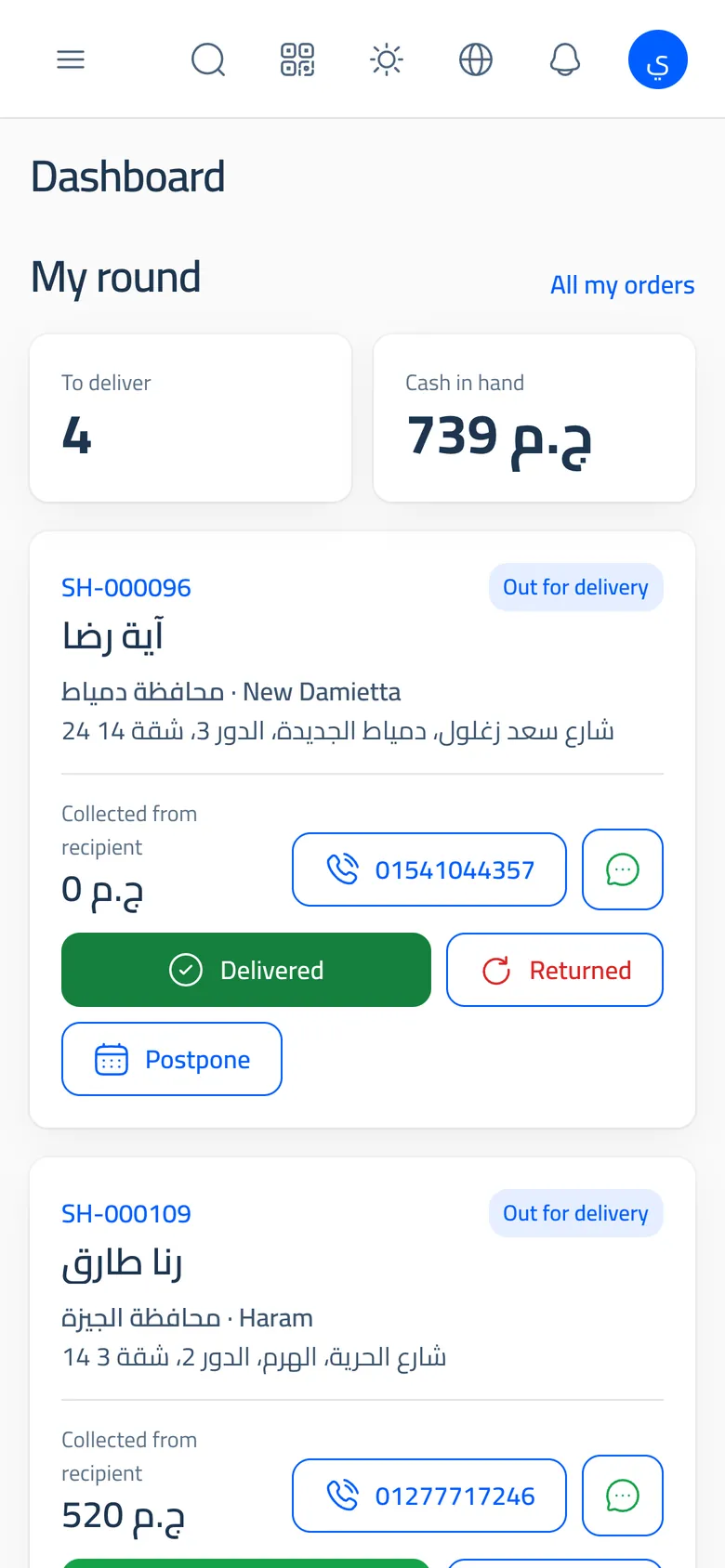
These are the system's own screens, following an order through four steps from placing to settlement.
One tidy form: a repeat recipient fills in as soon as their number is typed, and the customer sees the shipping fee and what they will net before saving.
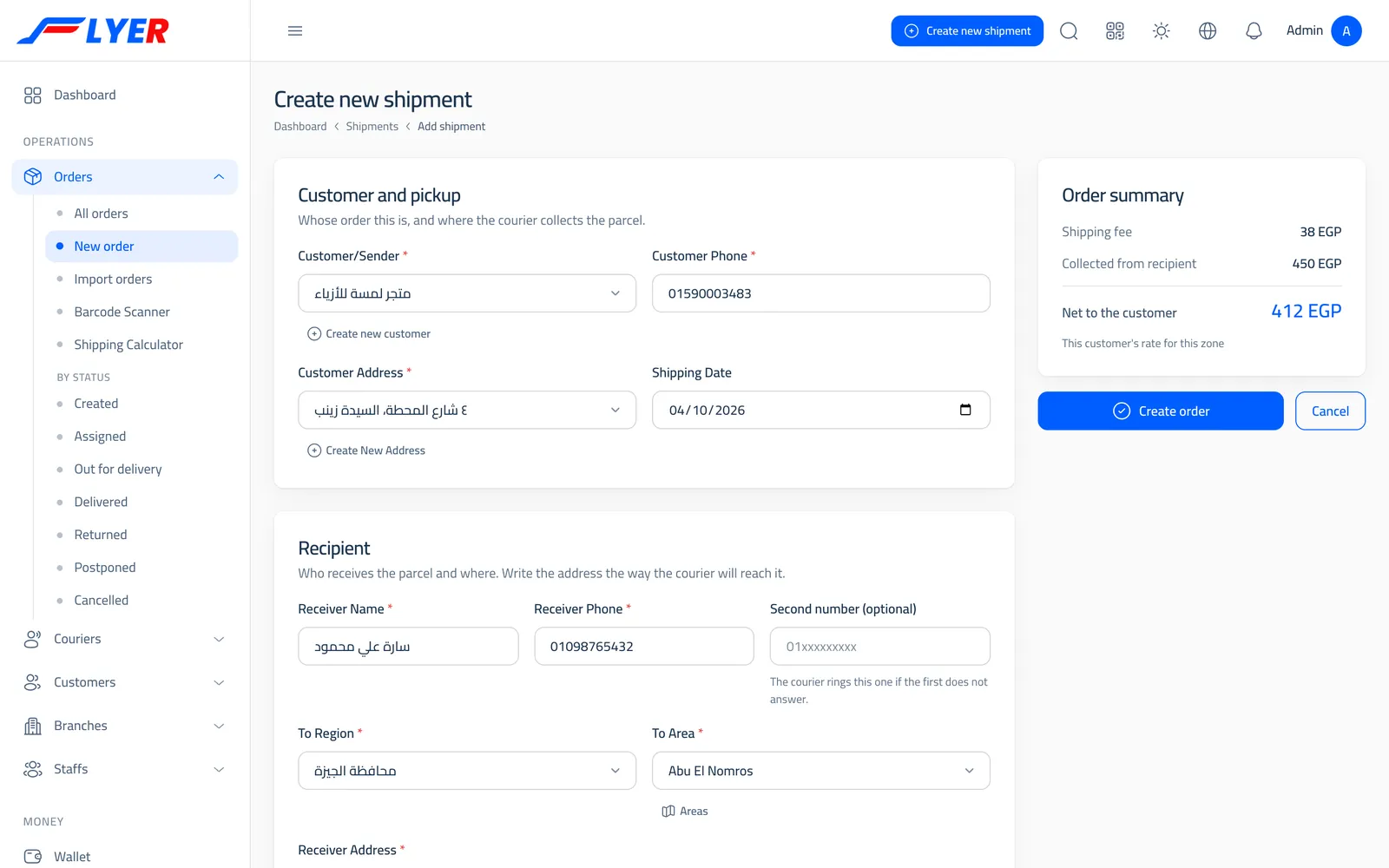
The orders list has status tabs with counts, and each row has the next step: assign a courier, then out for delivery, then delivered. Or the system assigns each new order by itself.
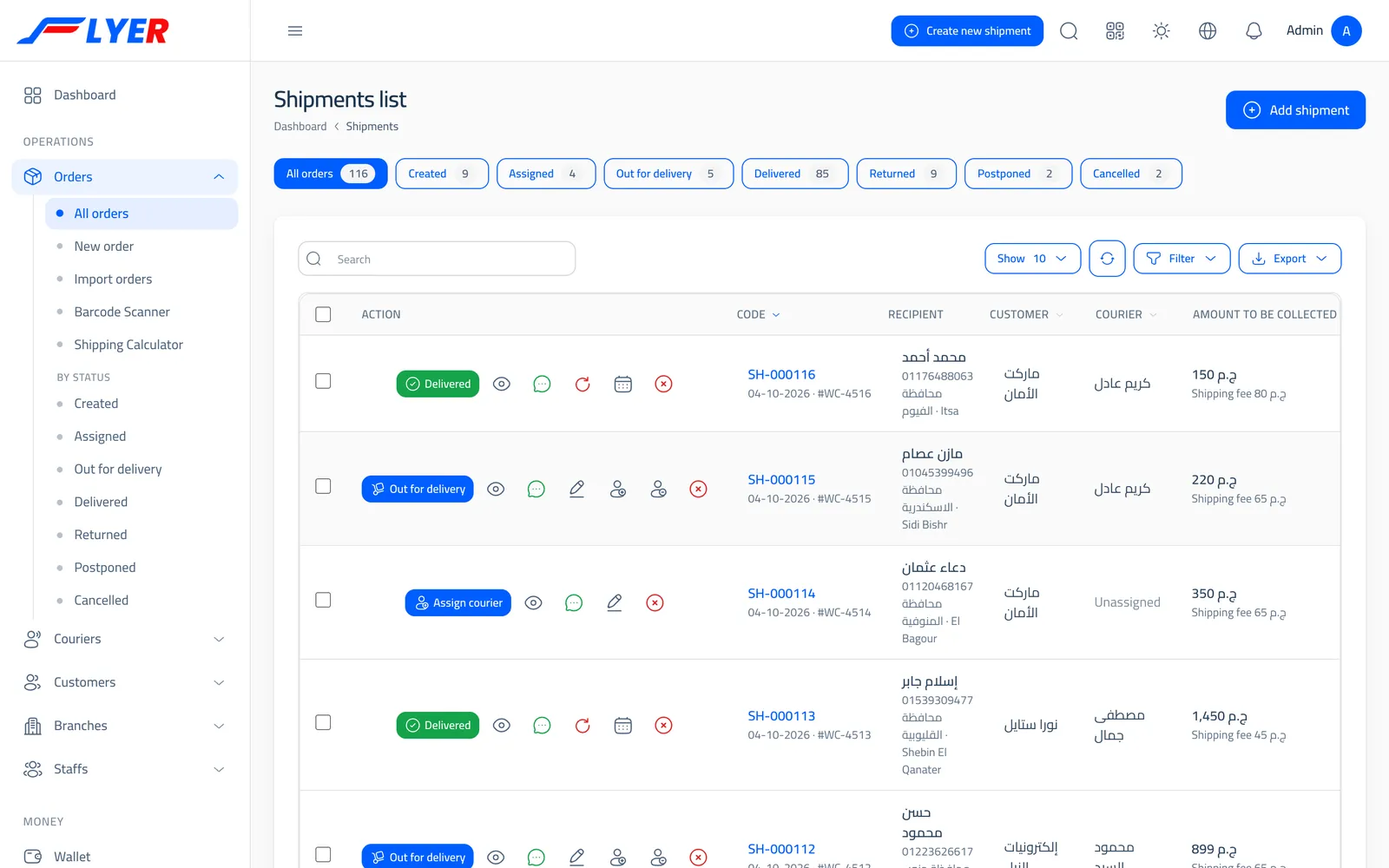
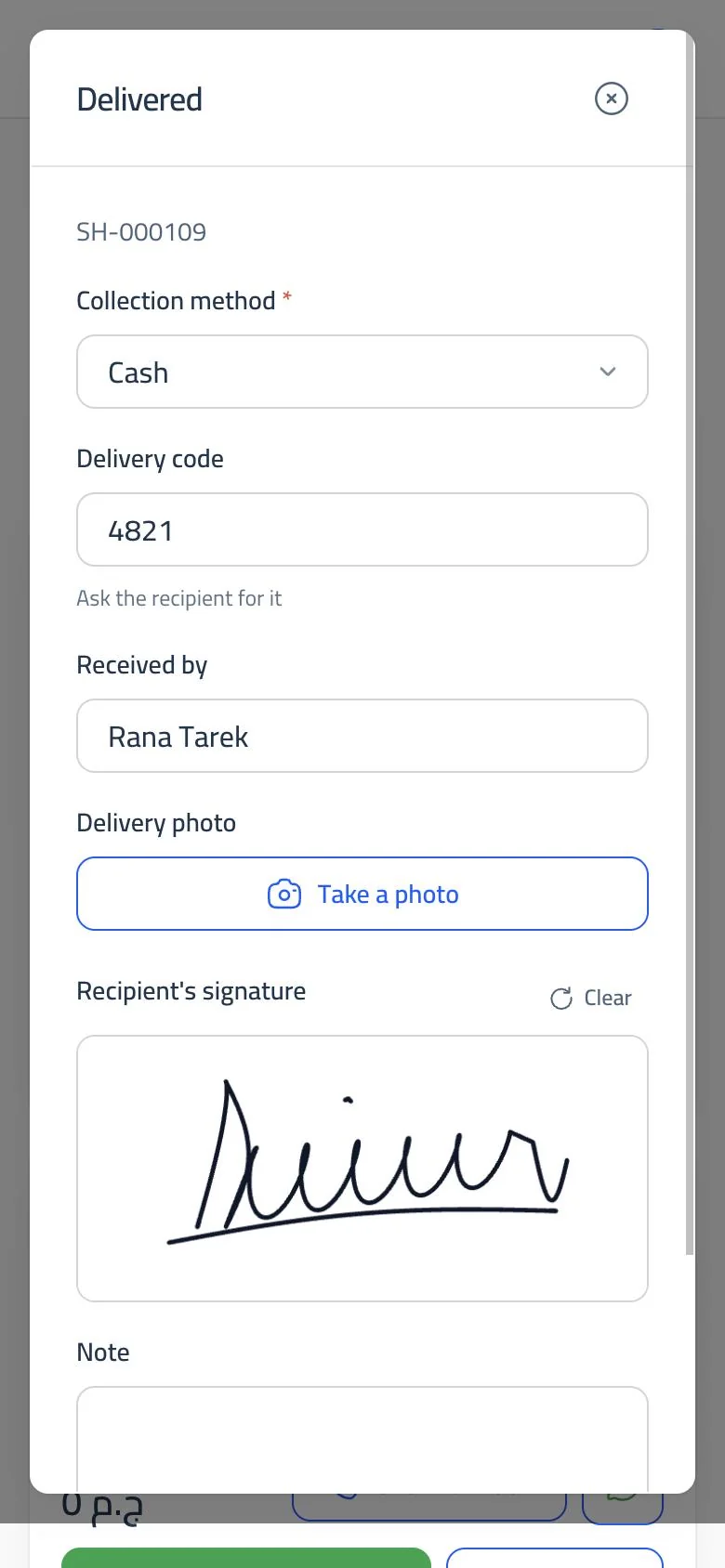
Today's round is a stack of cards: name, address and amount, call and WhatsApp in a tap, and a button for delivered, returned or postponed with a reason. At the door they take a photo, the recipient signs on the screen, and they enter the delivery code.
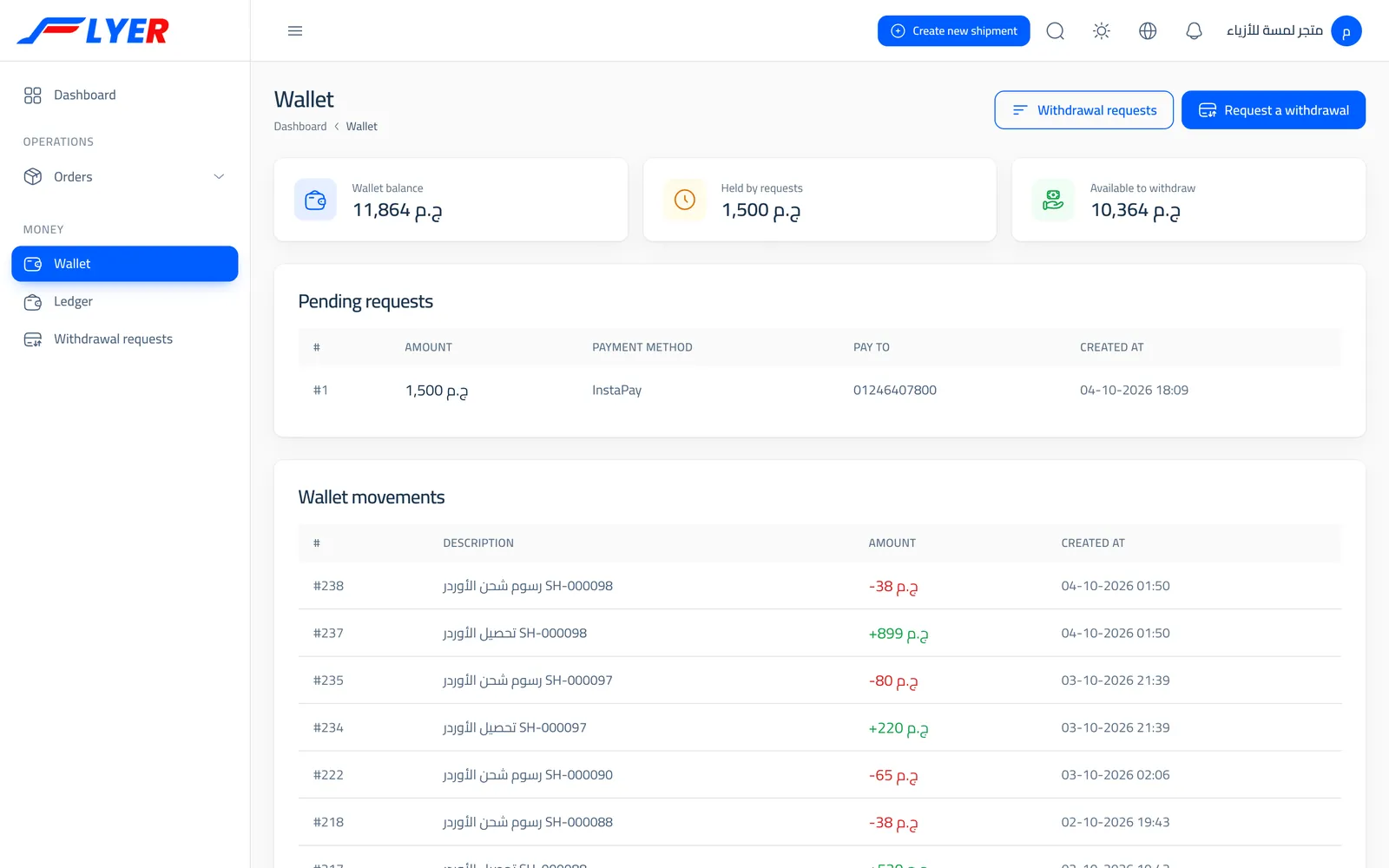
The collected amount is recorded once: custody on the courier and a balance for the customer after shipping is deducted. The customer sees their wallet and asks to withdraw, and management reviews it.
"Needs your attention now": orders waiting for a courier, stale or postponed ones, withdrawal requests and cash with couriers.
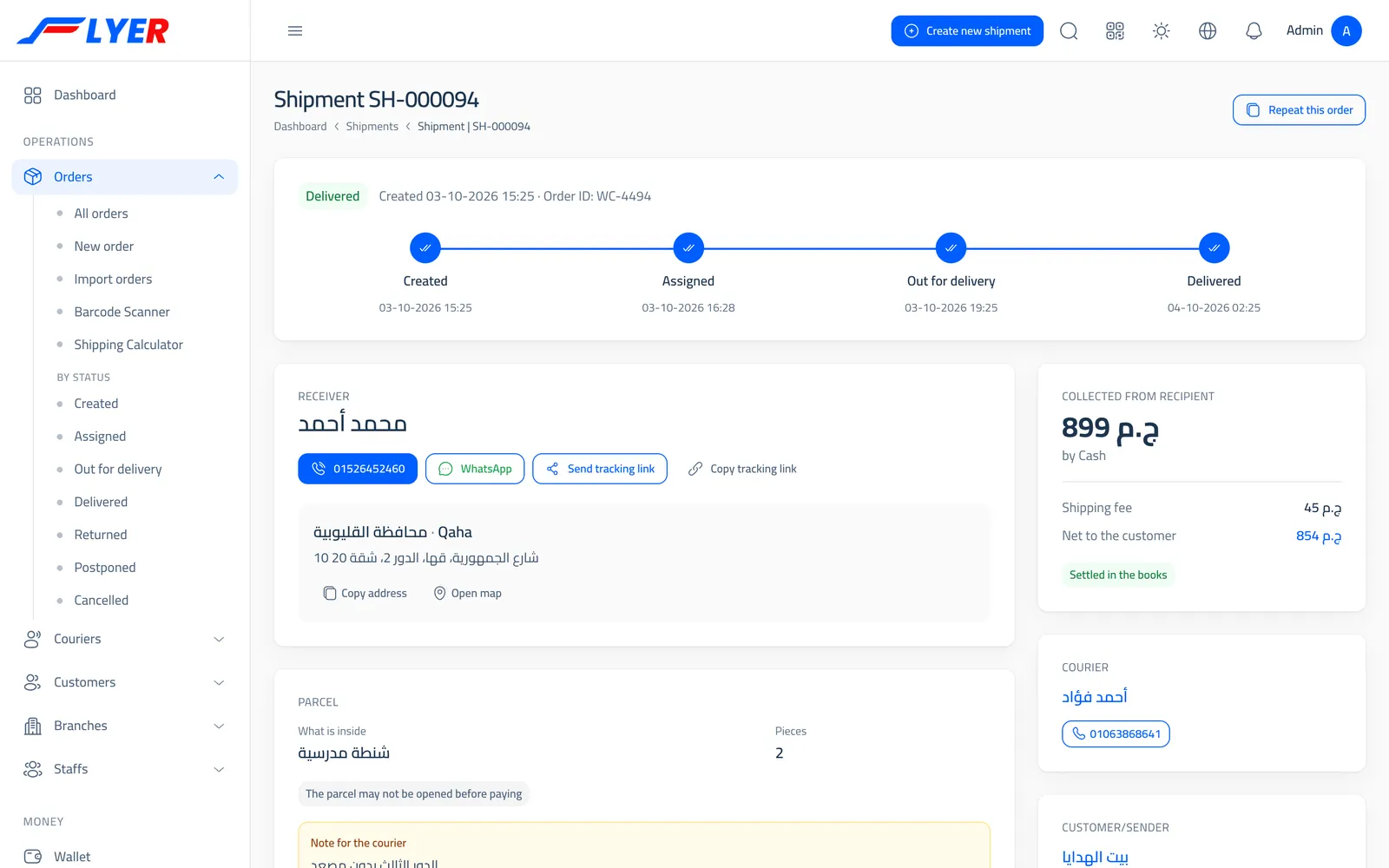
Its stages with dates, the recipient with call and WhatsApp buttons, the parcel and its note, and the amount and the customer's net.
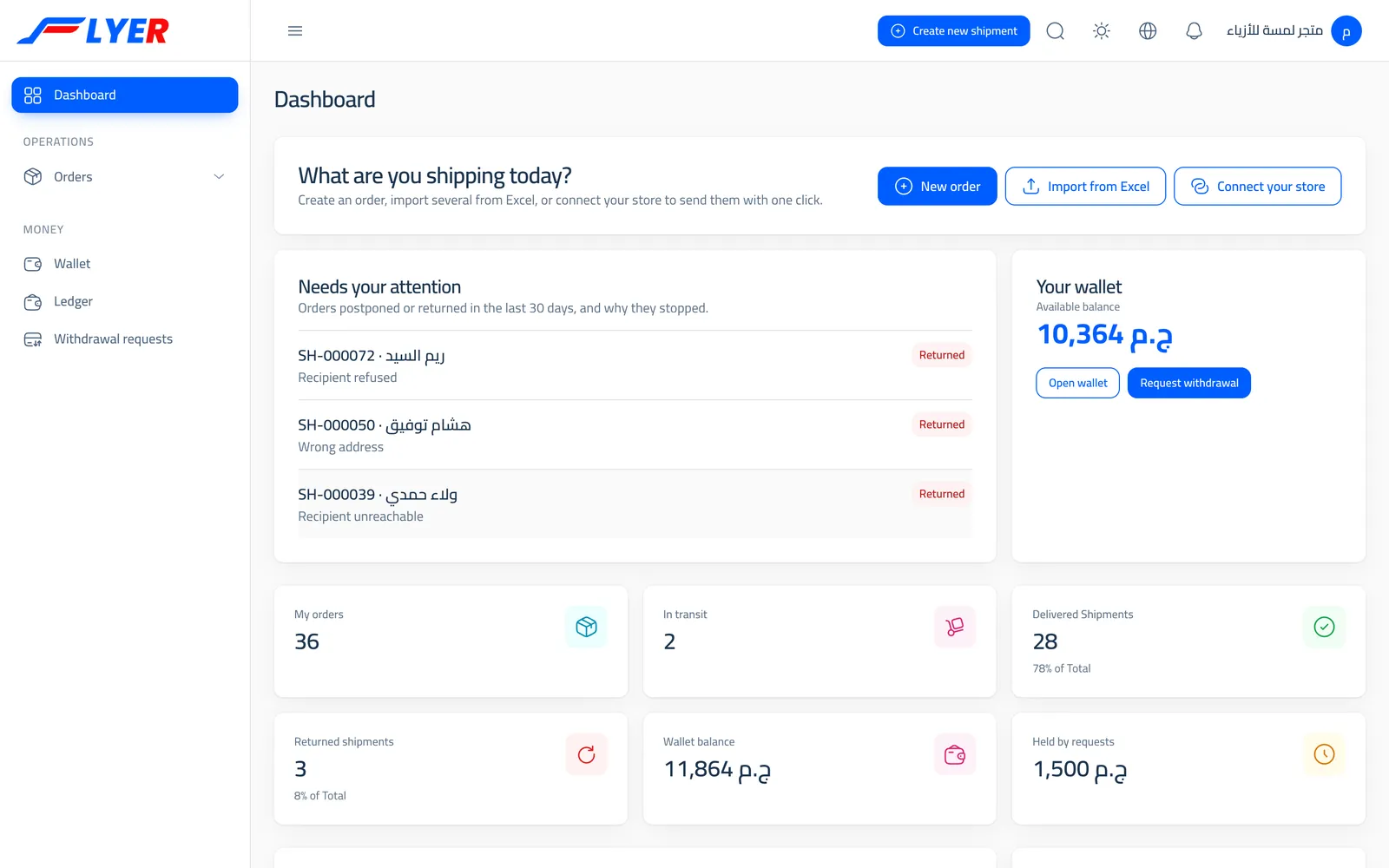
It opens on what is theirs: a new order, an Excel upload or connecting their store, returned orders with reasons, and their wallet.
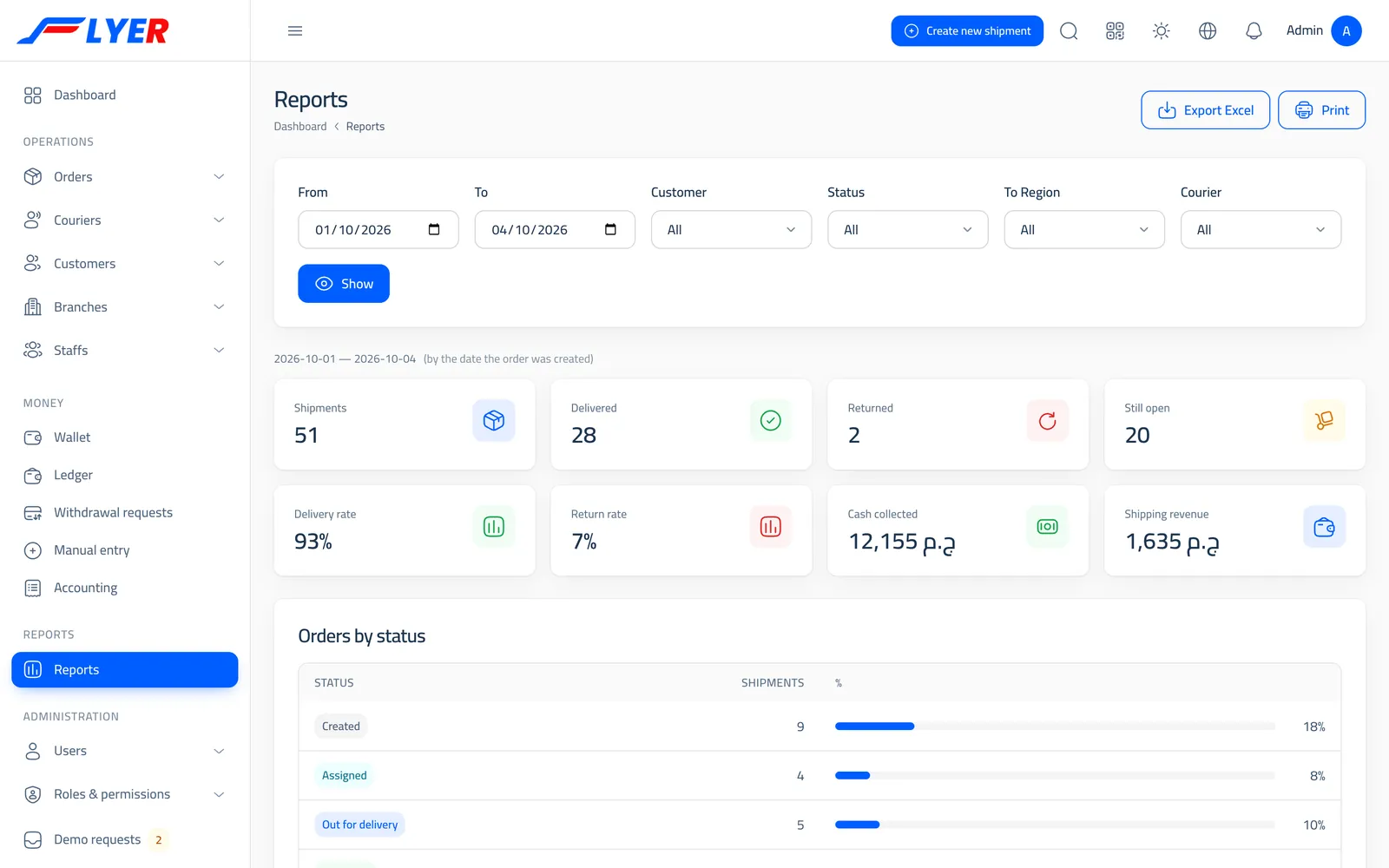
By period, customer, governorate, courier and status, with delivery and return rates, recipients' ratings and return reasons, exportable to Excel, and a daily email report for each customer.
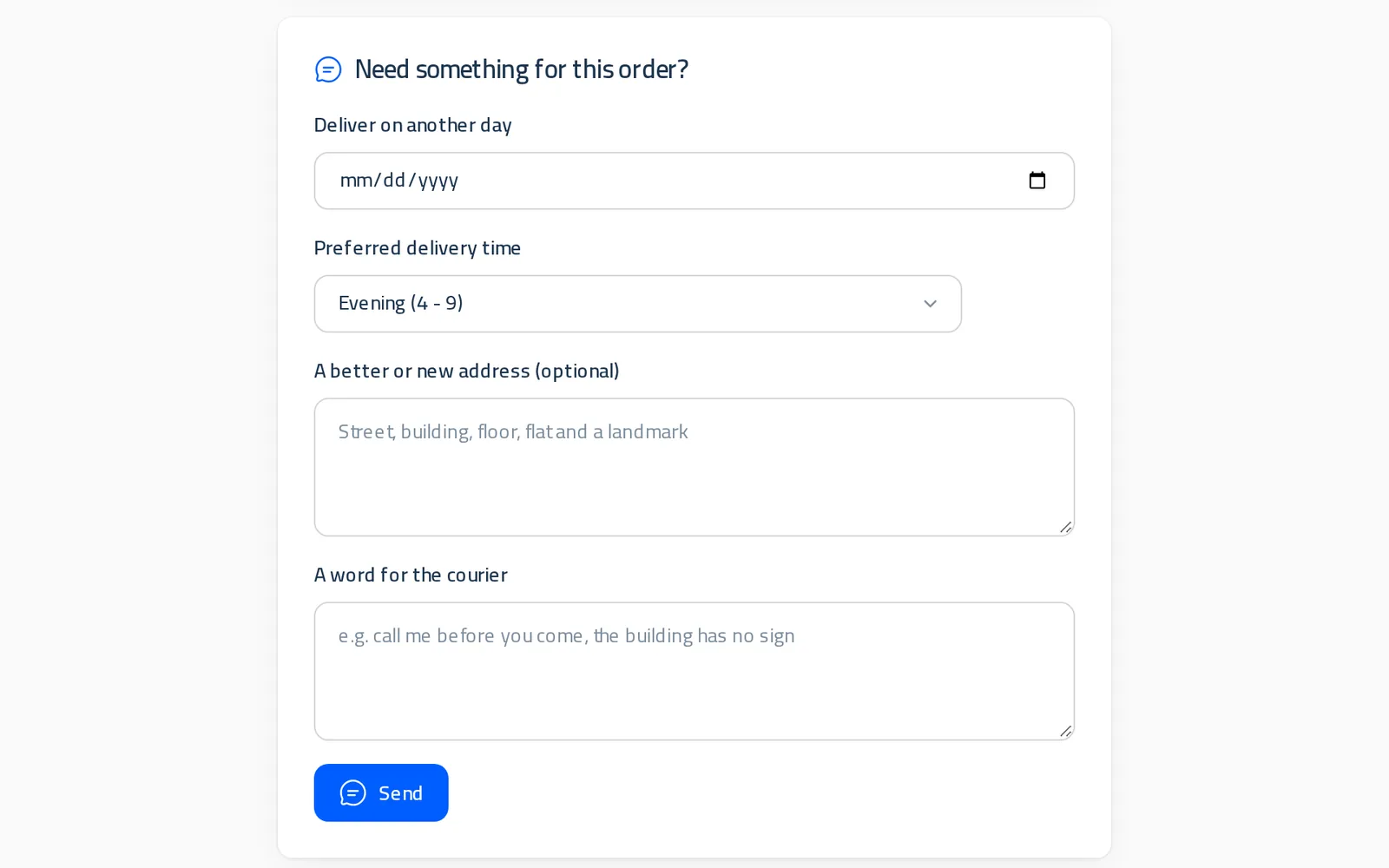
From the tracking link, after the last 4 digits of their phone: ask for another day or a morning or evening slot, correct their address, leave a word for the courier, and rate the delivery afterwards.
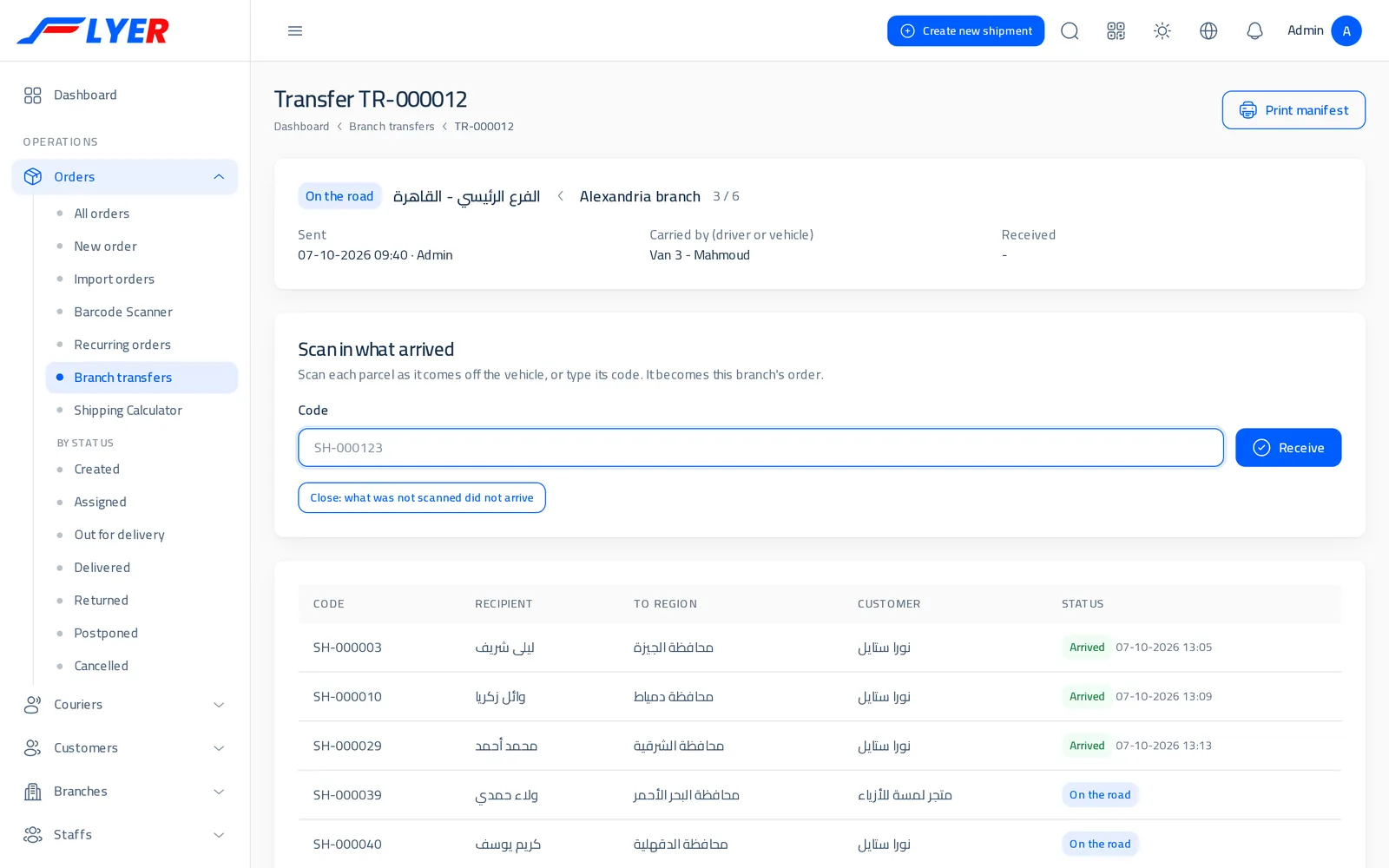
A load from one branch to another with a printed manifest; the receiving branch scans each parcel as it arrives, and what never arrives is recorded as missing.
Each person sees only what concerns them, in the way that suits them.
Built around a shipping company's actual day, from order to settlement.
A form, Excel with an Arabic template, an API, a WordPress plugin, Shopify and EasyOrders stores that send their orders by themselves, and recurring orders booked every morning on the days the customer picks.
Three bands, a shipping and a return price for each, a special price for any customer, a same-day fee and a price for return pickups.
The system picks the courier who covers the governorate and has the least work, skips anyone off work or with an expired licence, and passes an order on when a courier declines it.
A photo at the door, the recipient's signature on the screen, and a delivery code sent with the tracking link that the courier never sees. When the recipient keeps only part of the order, the courier records what was actually collected.
Their screen opens with no network, and their moves wait on the phone and go by themselves, with the time they were made, once the signal is back.
An automatic SMS or WhatsApp when the order goes out, is delivered or is postponed, from your company's own Twilio account, with a log of every message and whether it went.
A link that does not expose their details, from which, after the last 4 digits of their phone, they ask for another day or time, correct their address and rate the delivery.
From any delivered order: a return pickup where the courier collects the parcel from the recipient, or an exchange that hands over the new item and takes back the old one, with a refund the courier pays at the door if needed.
The courier records the reason from a list your company can add to, the fees are worked out automatically, and a report counts returns by reason.
Between the office, the courier and the customer, with attachments, kept with the order.
Courier custody and their commission per delivery and return, the customer's balance after shipping, withdrawal requests, and a statement for any period.
Each courier's day on paper, by area and urgent first, with the cash to collect and a column for the recipient's signature.
A load from one branch to another with a manifest; the system suggests what belongs to the other branch, and the receiving branch scans each parcel in.
A public page where a courier applies with their details and ID photo, and management accepts them in a tap; they set their own password.
Branches with their users, permissions for each role, a log of who changed any price or order, and two-step sign-in with an emailed code.
Every governorate in Egypt belongs to a price band, so pricing stays short and clear. You set the shipping and return price for each band, and a special price for any customer.
This is the ready setup, and your company's manager can change the prices and bands from the dashboard.
Cairo and Giza, the governorates, and Upper Egypt, covering all 27 governorates.
A contracted merchant gets their own price, and sees it before saving any order.
Each band has a return fee, applied automatically when an order comes back.
الجيزة, القاهرة, القليوبية
الإسماعيلية, الاسكندرية, البحر الأحمر, البحيرة, الدقهلية, السويس, الشرقية, الغربية, المنوفية, بورسعيد, جنوب سيناء, دمياط, شمال سيناء, كفر الشيخ, مطروح
أسوان, أسيوط, الأقصر, الفيوم, المنيا, الوادي الجديد, بني سويف, سوهاج, قنا
Four ways to get orders in without retyping them; each customer picks what fits their store and the size of their business.
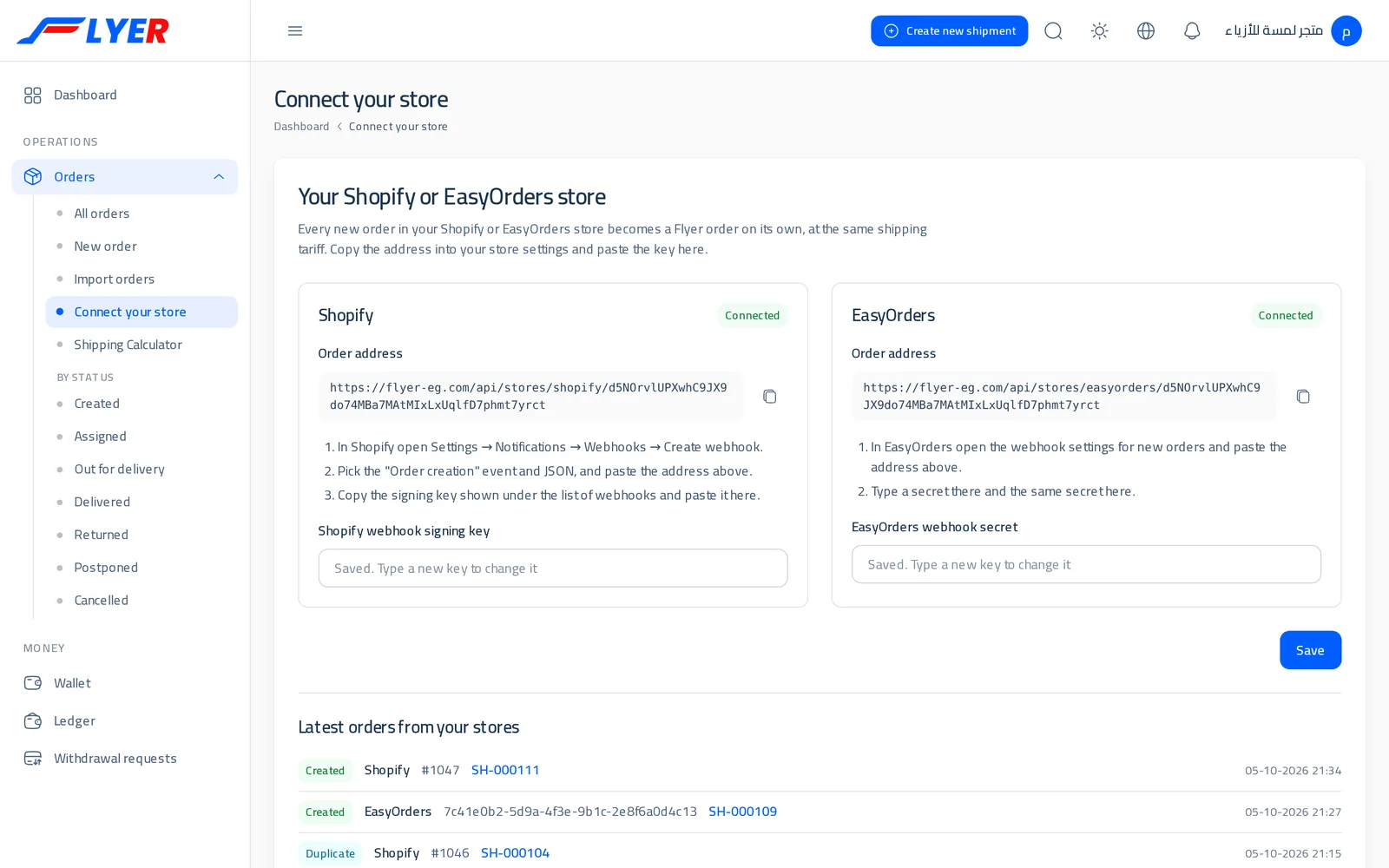
Your customer pastes their address into their store's settings once, and every new order arrives in Flyer by itself: recipient, governorate and address, and the amount to collect when it is cash on delivery.
Your customer downloads it from their account with you, and a "Send to Flyer" button appears on every order in their store. The contents, address and amount to collect reach you.
A ready Arabic template the customer fills in with names as they write them (Cairo, cash). Any mistake is reported by its row number, and nothing incomplete is imported.
For any other system your customer runs: their own key from their account page, one request creates the order and returns its code, and every change in their orders' status reaches their system, signed with their key.
Request
POST https://flyer-eg.com/api/admin/shipments/create
token: YOUR_API_KEY

Shipment[reciver_name]=Mohamed Ahmed
Shipment[reciver_phone]=01012345678
Shipment[reciver_address]=12 Nasr St, Nasr City
Shipment[to_state_id]=3225
Shipment[amount_to_be_collected]=350
Response
{
  "message": "Shipment added successfully",
  "code": "SH-000482",
  "id": 482
}
Taking orders
With FlyerThey arrive from the customer's store by themselves, or come in by form or Excel
The traditional wayTyped by hand from WhatsApp messages
Pricing shipping
With FlyerAutomatic by governorate and the customer's price
The traditional wayWorked out by hand, easy to get wrong
Couriers and follow-up
With FlyerAssigned automatically or in a tap, with a live status
The traditional wayPhone calls and paper sheets
Proof of delivery
With FlyerA photo, the recipient's signature and a delivery code
The traditional wayThe courier's word
The recipient
With FlyerA text at every move; they ask for another day or fix their address from the tracking link
The traditional wayThey call the office to ask
Moving between branches
With FlyerA manifest and a scan on arrival
The traditional wayPaper sheets and phone calls
Collection and settlement
With FlyerCustody, settlement and wallets recorded once
The traditional waySheets that can get muddled by end of day
Returns
With FlyerWith the reason and the fees
The traditional wayLearned late, with no detail
Reports
With FlyerReady, and exportable to Excel
The traditional wayCompiled by hand at month end
Software for running a shipping company: taking your customers' orders, pricing them, assigning couriers, collection and wallets, and reports. We provide it to shipping companies to run themselves.
Yes, the interface is fully Arabic, right to left, and an English version is available too.
Yes. Each customer has their own account and wallet, places orders themselves or connects their store, follows them and asks to withdraw their balance.
Shopify and EasyOrders stores send every new order by themselves once one address is pasted into the store's settings; WordPress/WooCommerce stores get a ready plugin from their account; and there is Excel and an API for any other system.
The courier screen works right in the phone's browser, and they can add it to their home screen so it behaves like an app. It opens even with no internet, and the moves made offline wait on the phone and go by themselves when the signal is back.
Yes, if you want it to: each new order goes to a courier who covers its governorate, preferring the same branch, then the least work, then the best delivery rate. Or you assign in a tap, or auto-assign a whole batch.
You choose what a courier must bring back from the door: a photo, the recipient's signature on the screen, and a delivery code the recipient gets with the tracking link and the courier never sees. All of it shows on the order page.
Yes. You set the shipping and return price for each band, a special price for any customer, and create the branches and employees and choose what each role can do.
Collection is recorded once, on delivery: custody on the courier and a balance for the customer after shipping is deducted. Management settles the custody and reviews customers' withdrawal requests.
Yes, if you turn it on: an automatic SMS or WhatsApp when the order goes out, is delivered or is postponed, from your company's own Twilio account. From the tracking link they ask for another day or time, correct their address and rate the delivery.
Yes. From any delivered order the customer or the office asks for a return pickup or an exchange, linked to the original order, at a price you set, with a refund the courier pays at the door if needed.
With branch transfers: pick the orders (the system suggests what belongs to the other branch), print the manifest, and the receiving branch scans each parcel as it arrives, making it their order.
A commission per delivery and per return, at a company rate or each courier's own. It is recorded automatically at settlement, the courier sees it in their wallet, and management pays it out; it shows in the accounts.
Request a demo with the form below and we will contact you to show the system on your own kind of work.
Leave your details and we will contact you to show the system on your own kind of work.